Hardcoded API keys in source code are a security liability. HashiCorp Vault centralizes secret management — your CaptchaAI API key is stored encrypted, retrieved at runtime, and every access is logged. This guide shows how to integrate Vault into your CAPTCHA solving pipeline.
Why Vault for CAPTCHA API Keys
| Without Vault | With Vault |
|---|---|
API key in .env file or code |
Key stored encrypted in Vault |
| Key shared via Slack or email | Access via authenticated API |
| No access audit trail | Every read logged with identity |
| Manual key rotation | Automated rotation support |
| Same key across environments | Per-environment keys with policies |
Prerequisites
- HashiCorp Vault server (self-hosted or HCP Vault)
- Vault CLI or API access
- CaptchaAI API key
- Python 3.8+ or Node.js 18+
Store the API Key in Vault
# Enable the KV secrets engine (if not already enabled)
vault secrets enable -path=secret kv-v2

# Store the CaptchaAI API key
vault kv put secret/captchaai api_key="YOUR_API_KEY"

# Verify
vault kv get secret/captchaai
Create a Vault Policy
Restrict CAPTCHA workers to read-only access:
# captcha-worker-policy.hcl
path "secret/data/captchaai" {
  capabilities = ["read"]
}

path "secret/metadata/captchaai" {
  capabilities = ["read"]
}
Apply the policy:
vault policy write captcha-worker captcha-worker-policy.hcl
Python Integration
# vault_solver.py
import os
import time
import hvac
import requests

# Connect to Vault
vault_client = hvac.Client(
    url=os.environ.get("VAULT_ADDR", "http://127.0.0.1:8200"),
    token=os.environ.get("VAULT_TOKEN"),
)

def get_api_key():
    """Retrieve CaptchaAI API key from Vault."""
    secret = vault_client.secrets.kv.v2.read_secret_version(
        path="captchaai",
        mount_point="secret",
    )
    return secret["data"]["data"]["api_key"]

class CaptchaSolver:
    """CAPTCHA solver with Vault-managed credentials."""

    def __init__(self):
        self.api_key = get_api_key()
        self.session = requests.Session()
        self._key_fetched_at = time.time()
        self._key_refresh_interval = 3600  # Re-fetch key hourly

    def _refresh_key_if_needed(self):
        """Periodically refresh the key from Vault."""
        if time.time() - self._key_fetched_at > self._key_refresh_interval:
            self.api_key = get_api_key()
            self._key_fetched_at = time.time()

    def solve(self, sitekey, pageurl):
        """Solve reCAPTCHA v2 using Vault-managed key."""
        self._refresh_key_if_needed()

        # Submit
        resp = self.session.get("https://ocr.captchaai.com/in.php", params={
            "key": self.api_key,
            "method": "userrecaptcha",
            "googlekey": sitekey,
            "pageurl": pageurl,
            "json": "1",
        })
        result = resp.json()

        if result.get("status") != 1:
            raise Exception(f"Submit failed: {result.get('request')}")

        task_id = result["request"]
        time.sleep(15)

        for _ in range(25):
            poll = self.session.get("https://ocr.captchaai.com/res.php", params={
                "key": self.api_key,
                "action": "get",
                "id": task_id,
                "json": "1",
            })
            poll_result = poll.json()

            if poll_result.get("status") == 1:
                return poll_result["request"]
            if poll_result.get("request") != "CAPCHA_NOT_READY":
                raise Exception(f"Error: {poll_result.get('request')}")

            time.sleep(5)

        raise Exception("Timeout")

# Usage
solver = CaptchaSolver()
token = solver.solve(
    "6Le-wvkSAAAAAPBMRTvw0Q4Muexq9bi0DJwx_mJ-",
    "https://www.google.com/recaptcha/api2/demo"
)
print(f"Token: {token[:30]}...")
JavaScript Integration
// vault_solver.js
const axios = require('axios');

const VAULT_ADDR = process.env.VAULT_ADDR || 'http://127.0.0.1:8200';
const VAULT_TOKEN = process.env.VAULT_TOKEN;

async function getApiKey() {
  const resp = await axios.get(
    `${VAULT_ADDR}/v1/secret/data/captchaai`,
    { headers: { 'X-Vault-Token': VAULT_TOKEN } }
  );
  return resp.data.data.data.api_key;
}

class CaptchaSolver {
  constructor() {
    this.apiKey = null;
    this.keyFetchedAt = 0;
    this.refreshInterval = 3600000; // 1 hour
  }

  async init() {
    this.apiKey = await getApiKey();
    this.keyFetchedAt = Date.now();
  }

  async refreshKeyIfNeeded() {
    if (Date.now() - this.keyFetchedAt > this.refreshInterval) {
      this.apiKey = await getApiKey();
      this.keyFetchedAt = Date.now();
    }
  }

  async solve(sitekey, pageurl) {
    await this.refreshKeyIfNeeded();

    const submit = await axios.get('https://ocr.captchaai.com/in.php', {
      params: {
        key: this.apiKey, method: 'userrecaptcha',
        googlekey: sitekey, pageurl, json: '1',
      },
    });

    if (submit.data.status !== 1) throw new Error(submit.data.request);
    const taskId = submit.data.request;

    await new Promise(r => setTimeout(r, 15000));

    for (let i = 0; i < 25; i++) {
      const poll = await axios.get('https://ocr.captchaai.com/res.php', {
        params: { key: this.apiKey, action: 'get', id: taskId, json: '1' },
      });

      if (poll.data.status === 1) return poll.data.request;
      if (poll.data.request !== 'CAPCHA_NOT_READY') throw new Error(poll.data.request);
      await new Promise(r => setTimeout(r, 5000));
    }
    throw new Error('Timeout');
  }
}

(async () => {
  const solver = new CaptchaSolver();
  await solver.init();

  const token = await solver.solve(
    '6Le-wvkSAAAAAPBMRTvw0Q4Muexq9bi0DJwx_mJ-',
    'https://www.google.com/recaptcha/api2/demo'
  );
  console.log(`Token: ${token.slice(0, 30)}...`);
})();
Authentication Methods
Vault supports multiple authentication methods for workers:
| Method | Best For | Setup |
|---|---|---|
| Token | Development, CI/CD | VAULT_TOKEN env var |
| AppRole | Production services | Role ID + Secret ID |
| Kubernetes | K8s workloads | Service account JWT |
| AWS IAM | EC2/Lambda workers | Instance role |
AppRole Example (Recommended for Production)
# AppRole authentication — no static token needed
vault_client = hvac.Client(url=os.environ["VAULT_ADDR"])
vault_client.auth.approle.login(
    role_id=os.environ["VAULT_ROLE_ID"],
    secret_id=os.environ["VAULT_SECRET_ID"],
)

# Now read the secret
secret = vault_client.secrets.kv.v2.read_secret_version(path="captchaai")
api_key = secret["data"]["data"]["api_key"]
Key Rotation Workflow
- Generate new CaptchaAI API key in the CaptchaAI dashboard
- Update Vault:
vault kv put secret/captchaai api_key="NEW_KEY" - Workers automatically pick up the new key on their next refresh cycle
- Revoke the old key in CaptchaAI dashboard after all workers have refreshed
No code changes or deployments required.
Troubleshooting
| Issue | Cause | Fix |
|---|---|---|
403 Forbidden from Vault |
Policy doesn't allow read | Check captcha-worker-policy.hcl path |
VAULT_TOKEN expired |
Token TTL exceeded | Use AppRole for auto-renewable tokens |
| Key not refreshing | Refresh interval too long | Reduce _key_refresh_interval |
| Vault unavailable | Network or server issue | Cache key locally with fallback |
FAQ
What happens if Vault is down?
Cache the API key in memory when first retrieved. If Vault is unavailable during a refresh, continue using the cached key and log the failure.
Should I store one key per environment?
Yes. Use separate Vault paths: secret/captchaai/dev, secret/captchaai/staging, secret/captchaai/prod.
Can I use AWS Secrets Manager instead of Vault?
Yes. The pattern is identical — retrieve the secret at runtime from AWS Secrets Manager using boto3. The core principle (no hardcoded keys, rotate without deployments) remains the same.
Related Articles
- Captchaai Ip Whitelisting Api Key Security
- Captchaai Api Key Rotation
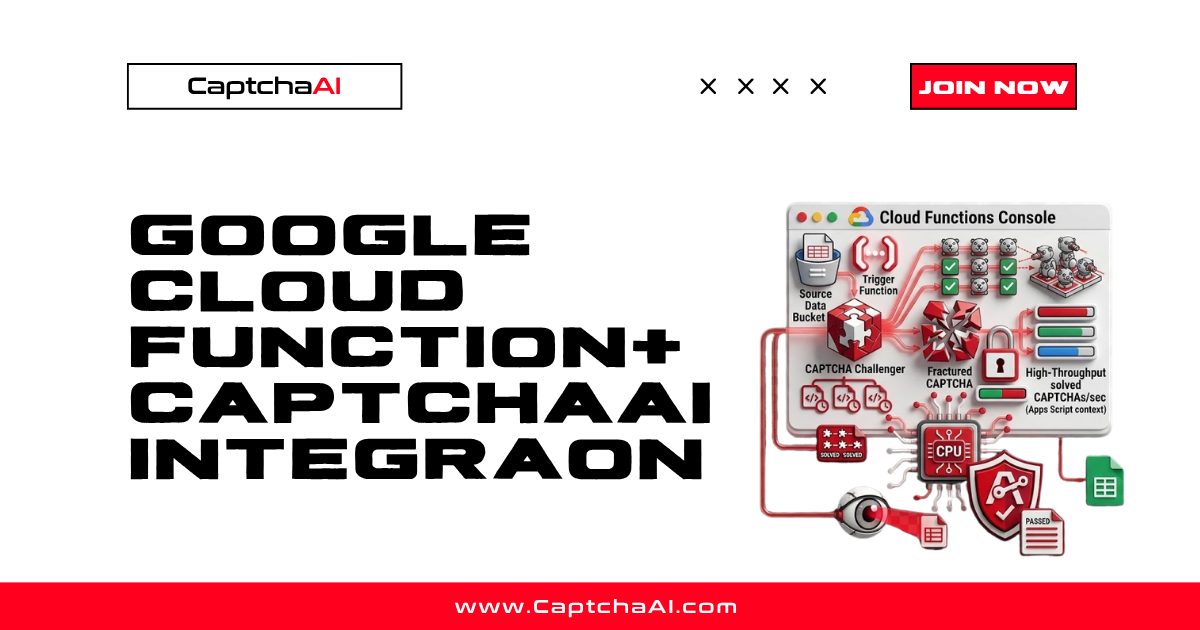
- Google Cloud Functions Captchaai Integration
Next Steps
Secure your CaptchaAI credentials with Vault — get your API key.
Related guides:
Full Working Code
Complete runnable examples for this article in Python, Node.js, PHP, Go, Java, C#, Ruby, Rust, Kotlin & Bash.
View on GitHub →



Discussions (0)
Join the conversation
Sign in to share your opinion.
Sign InNo comments yet.