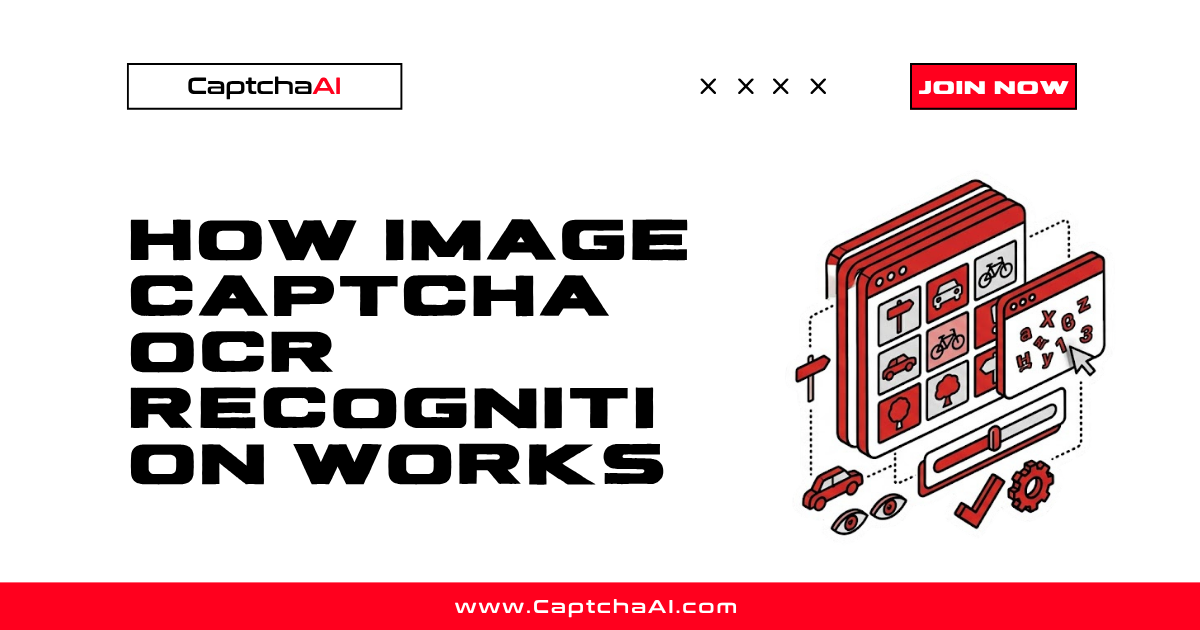
Image CAPTCHAs display distorted text, numbers, or characters that users must type to prove they are human. OCR (Optical Character Recognition) is the technology that reads these images automatically. Understanding how OCR works on CAPTCHAs explains why some are easy to solve and others are not.
The recognition pipeline
Every image CAPTCHA goes through a processing pipeline before the characters are identified:
Input image → Preprocessing → Segmentation → Recognition → Post-processing → Answer
Each stage handles a different challenge.
Stage 1: Preprocessing
Raw CAPTCHA images contain noise designed to confuse OCR systems. Preprocessing cleans the image to isolate the text.
| Technique | What it removes |
|---|---|
| Grayscale conversion | Color information that adds complexity |
| Binarization | Converts to black/white — text vs background |
| Noise removal | Random dots, lines, and artifacts |
| Deskewing | Corrects tilted or rotated text |
| Contrast enhancement | Makes faint characters readable |
The goal: produce a clean image where characters are clearly separated from the background.
Stage 2: Character segmentation
Segmentation identifies where each character begins and ends. This is often the hardest step.
Challenges:
- Overlapping characters — Letters touch or overlap intentionally
- Variable spacing — Gaps between characters are inconsistent
- Connected components — Multiple characters rendered as one shape
- Variable font size — Characters at different scales
Approaches:
- Projection-based — Count dark pixels per column; gaps between peaks indicate character boundaries
- Connected component analysis — Group connected pixels into blobs, each blob is a candidate character
- Sliding window — Move a fixed-width window across the image and classify each window
Stage 3: Character recognition
Once characters are isolated, each is classified. Modern systems use neural networks.
| Method | Accuracy | Speed |
|---|---|---|
| Template matching | Low (fails on distortion) | Fast |
| Feature extraction + SVM | Medium | Medium |
| Convolutional Neural Networks (CNN) | High | Medium |
| Recurrent Neural Networks (RNN/LSTM) | Highest (handles sequences) | Slower |
How CNNs recognize CAPTCHA characters:
- The character image is fed into the network
- Convolutional layers detect edges, curves, and shapes
- Pooling layers reduce dimensionality
- Fully connected layers classify the character (A–Z, 0–9)
- Output: probability distribution over all possible characters
Sequence models (LSTM/CTC) skip segmentation entirely. They process the entire image as a sequence, reading characters left-to-right — handling overlapping characters that segmentation-based approaches struggle with.
Stage 4: Post-processing
After recognition, post-processing corrects common errors:
- Dictionary checking — If the CAPTCHA uses real words, check against a dictionary
- Character validation — If only alphanumeric characters are valid, filter symbols
- Confidence thresholding — Reject low-confidence predictions and flag for re-analysis
- Case normalization — Some CAPTCHAs are case-insensitive; normalize to lowercase
What makes CAPTCHAs hard for OCR
CAPTCHA designers add features specifically to defeat OCR:
| Anti-OCR technique | How it works | Effect on accuracy |
|---|---|---|
| Character overlap | Letters touch or intersect | Breaks segmentation |
| Random curves/lines | Lines drawn through text | Confuses edge detection |
| Variable distortion | Each character warped differently | Reduces template matching |
| Background noise | Dots, gradients, patterns | Harder to binarize |
| Font variation | Multiple fonts per image | Harder to classify |
| Color variation | Characters in different colors | Harder to isolate text |
| Rotation | Characters at random angles | Harder to normalize |
How CaptchaAI handles image CAPTCHAs
When you submit an image CAPTCHA to CaptchaAI:
- Image received — Via base64 encoding or file upload
- Preprocessing — Noise removal, binarization, contrast adjustment
- Recognition — Neural network models trained on millions of CAPTCHA samples
- Confidence check — Low-confidence results may go through secondary analysis
- Response — The recognized text is returned
CaptchaAI maintains models trained on CAPTCHAs from thousands of sites. This broad training data handles distortion patterns that site-specific OCR tools cannot.
Accuracy factors
| Factor | Higher accuracy | Lower accuracy |
|---|---|---|
| Image quality | Clean, high-resolution | Blurry, compressed |
| Character count | 4–6 characters | 8+ characters |
| Distortion level | Mild warping | Heavy overlap + noise |
| Font consistency | Single font | Mixed fonts |
| Character set | Numbers only | Mixed case + symbols |
FAQ
Why do some image CAPTCHAs have very low accuracy?
Heavy distortion — overlapping characters, background noise lines, and variable fonts — all degrade accuracy. Preprocessing can help, but some CAPTCHAs are deliberately designed to be at the edge of human readability.
Does preprocessing help before submitting to CaptchaAI?
Usually not needed. CaptchaAI handles preprocessing internally. Sending the original image gives the best results because pre-processing on your end might remove useful information.
Are image CAPTCHAs still effective against bots?
Against basic OCR tools, yes. Against trained neural networks, accuracy is high for most image CAPTCHAs. This is why many sites are migrating to behavioral CAPTCHAs (reCAPTCHA v3, Turnstile) instead.
What is the difference between OCR and AI-based solving?
Traditional OCR uses rule-based character recognition. Modern solving uses deep learning (CNNs, LSTMs) trained on large datasets. CaptchaAI uses AI-based approaches for higher accuracy.
Solve image CAPTCHAs with CaptchaAI
Get high-accuracy OCR solving at captchaai.com.


Discussions (0)
Join the conversation
Sign in to share your opinion.
Sign InNo comments yet.