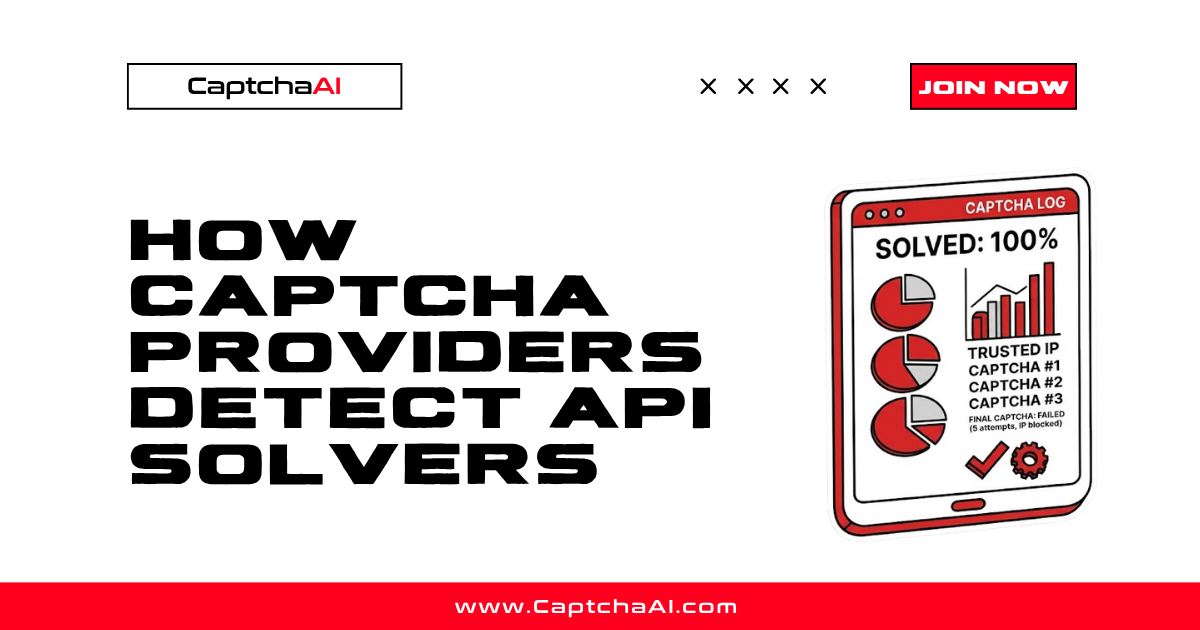
CAPTCHA providers do not just verify whether the answer is correct. They analyze how the answer was produced — the timing, the browser environment, and the behavioral context. Understanding these detection mechanisms explains why tokens sometimes get rejected even when technically correct.
Detection layers
CAPTCHA providers use multiple layers of analysis. Passing one layer does not guarantee passing all of them.
Layer 1: Browser environment checks
Layer 2: Behavioral analysis
Layer 3: Timing analysis
Layer 4: IP reputation scoring
Layer 5: Token usage validation
Layer 1: Browser environment
CAPTCHA JavaScript runs in the browser and collects environment signals:
| Signal | What it checks | Suspicious value |
|---|---|---|
| navigator.webdriver | WebDriver flag | true (Selenium, Puppeteer) |
| Screen resolution | Display dimensions | 0×0 or unusual sizes |
| Canvas fingerprint | GPU rendering consistency | Missing or inconsistent |
| WebGL renderer | GPU model | "SwiftShader" (headless indicator) |
| Plugin count | Browser plugins | 0 plugins (headless default) |
| Language | Browser language settings | Missing or mismatched |
| Timezone | System timezone | Mismatches IP geolocation |
| Audio context | Audio processing fingerprint | Missing or uniform |
Headless browsers often fail these checks because they lack the rendering capabilities of a real browser. This is why undetected-chromedriver and similar tools patch these signals.
Layer 2: Behavioral analysis
This is reCAPTCHA v3's primary mechanism. Instead of asking users to solve puzzles, it observes their behavior on the page:
| Behavior | Human pattern | Bot pattern |
|---|---|---|
| Mouse movement | Curved, irregular paths | Straight lines or no movement |
| Click timing | Variable, with natural delays | Instant or perfectly regular |
| Scroll behavior | Gradual, content-following | Jump to exact positions |
| Page interaction time | Seconds to minutes | Milliseconds |
| Keyboard input | Variable speed, corrections | Instant or perfectly regular |
| Focus/blur events | Tab switches, window changes | Never loses focus |
reCAPTCHA v3 assigns a score from 0.0 (bot) to 1.0 (human) based on accumulated behavioral data. A page load with zero mouse movement and instant form submission scores near 0.0.
Layer 3: Timing analysis
Providers track how long it takes to solve challenges:
| Metric | Expected range | Suspicious |
|---|---|---|
| Checkbox click to token | 0.5–3 seconds (no challenge) | Under 100ms |
| Image grid solve | 5–15 seconds | Under 2 seconds |
| Token request to form submit | 1–30 seconds | Under 1 second or over 5 minutes |
| Time on page before interaction | 2+ seconds | Under 500ms |
A token generated in 200ms when the grid challenge should take 10 seconds is an obvious signal.
Layer 4: IP reputation
CAPTCHA providers maintain IP reputation databases:
| Factor | Effect |
|---|---|
| Datacenter IP | Higher risk score, more challenges |
| Known proxy/VPN IP | Flagged, may be blocked |
| IP with high solve volume | Tracked, rate limited |
| Residential IP | Lower risk, fewer challenges |
| Geographic mismatch | IP country vs browser timezone/language |
This is why residential proxies improve solve rates — they look like real users.
Layer 5: Token usage validation
Even after a correct solve, providers validate how the token is used:
| Check | What it validates |
|---|---|
| Token age | Was it used within the expiry window? |
| Token reuse | Was it already submitted? (single-use) |
| Origin match | Was it solved for this domain/sitekey? |
| IP binding | For Challenge: was it used from the solving IP? |
| Action match | For v3: does the action parameter match? |
A valid token used from a different IP (for Cloudflare Challenge) or submitted minutes after expiry will be rejected.
What this means for API solvers
API-based solving services like CaptchaAI handle the CAPTCHA challenge itself — the image recognition, the token generation — but some detection layers operate outside the CAPTCHA widget:
| Layer | CaptchaAI handles | You handle |
|---|---|---|
| CAPTCHA solving | Yes — correct token/answer | N/A |
| Browser environment | N/A (no browser on your side) | Match User-Agent, proxies |
| Behavioral signals | N/A | Add mouse movement, delays |
| IP reputation | Uses your proxy | Choose quality proxies |
| Token usage | N/A | Submit immediately, same session |
Improving success rates
Based on detection layers:
| Strategy | Which layers it addresses |
|---|---|
| Use residential proxies | IP reputation |
| Match User-Agent between solve and browse | Browser environment, token validation |
| Add realistic delays between actions | Timing analysis |
| Use session persistence (cookies) | Behavioral continuity |
| Submit tokens immediately | Token usage validation |
Use undetected-chromedriver |
Browser environment checks |
FAQ
Does a correct answer guarantee the token works?
No. The answer (correct image selections, checkbox pass) is only one layer. IP reputation, timing, and browser environment can cause rejection even with a correct solve.
Why do solve rates vary by site?
Sites configure their CAPTCHA sensitivity. A high-security e-commerce site may require score > 0.7, while a blog comment form accepts score > 0.3. Stricter thresholds mean more detection layers matter.
Are providers getting better at detection?
Yes. reCAPTCHA v3 and Enterprise increasingly rely on behavioral analysis and risk scoring rather than visual challenges. Cloudflare Turnstile uses similar approaches. The trend is toward invisible, behavior-based verification.
How does CaptchaAI maintain high solve rates?
CaptchaAI continuously adapts to provider changes, maintains diverse solving infrastructure, and supports proxy and User-Agent passthrough to match your session context.
Solve CAPTCHAs reliably with CaptchaAI
Maintain high success rates at captchaai.com.





Discussions (0)
Join the conversation
Sign in to share your opinion.
Sign InNo comments yet.