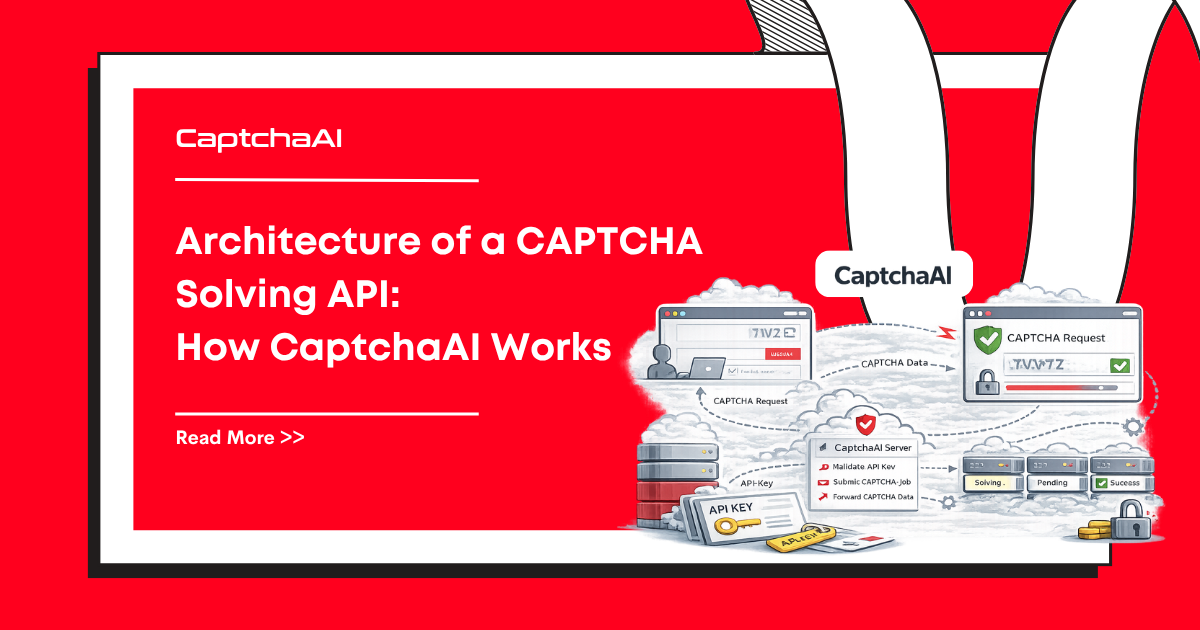
You send CaptchaAI an image or a sitekey. Seconds later, you get a solved token. What happens in between involves multiple AI techniques — from convolutional neural networks to browser automation. This article explains the technology behind CAPTCHA solving.
CAPTCHA categories and solving approaches
Different CAPTCHA types require different AI strategies:
| CAPTCHA type | Challenge | AI approach |
|---|---|---|
| Text/OCR | Distorted characters | CNN + RNN character recognition |
| Image classification | "Select all traffic lights" | Object detection model |
| Grid selection | 3×3 or 4×4 image grid | Multi-label image classifier |
| reCAPTCHA v2 | Checkbox + possible image challenge | Browser simulation + image classification |
| reCAPTCHA v3 | Score-based (no user challenge) | Browser context simulation |
| Turnstile | Browser challenge (no visual) | Browser environment emulation |
| Slider | Drag to correct position | Edge detection + template matching |
Text CAPTCHAs: OCR with neural networks
Classic text CAPTCHAs display distorted characters and ask users to type them. AI solves these with:
- Preprocessing: Remove noise, normalize contrast, segment characters
- Feature extraction: A Convolutional Neural Network (CNN) identifies visual features — edges, curves, intersections
- Sequence recognition: A Recurrent Neural Network (RNN) or Transformer reads the character sequence left to right, handling variable-length text
- Output: The predicted text string
Modern models achieve near-perfect accuracy on most text CAPTCHAs because:
- Training data is abundant (millions of CAPTCHA samples)
- Distortion patterns are predictable
- The character set is limited (alphanumeric)
CaptchaAI supports over 27,500 text CAPTCHA types, each with models trained on that specific format.
Image classification: Grid challenges
reCAPTCHA v2 image challenges show a grid with a prompt like "Select all squares with bicycles." The AI approach:
- Object detection: Models like YOLO or ResNet identify objects in each grid cell
- Classification: Each cell is classified as matching or not matching the prompt
- Multi-label output: An array of cell indices that contain the target object
Challenges:
- Ambiguous images (is that a bus or a truck?)
- New categories introduced by Google
- Dynamic tiles that replace selected cells
CaptchaAI continuously trains on fresh CAPTCHA samples to maintain accuracy as categories evolve.
Token-based CAPTCHAs: Browser simulation
reCAPTCHA v3, Turnstile, and invisible CAPTCHAs don't show a visual challenge. Instead, they analyze browser behavior:
- Mouse movements and click patterns
- Keyboard timing
- Browser fingerprint (plugins, screen size, WebGL)
- Cookie and session history
- TLS ClientHello fingerprint
To solve these, the CAPTCHA solving service runs a real browser environment:
- Browser instantiation: A real Chromium instance loads the target page
- Environment setup: The browser has a realistic fingerprint — matching User-Agent, screen dimensions, WebGL renderer, installed fonts
- Challenge execution: The Turnstile or reCAPTCHA JavaScript runs in this environment
- Token extraction: Once the challenge passes, the generated token is extracted and returned
This is why token-based CAPTCHAs take longer to solve (10-30 seconds) — a full browser session must complete.
Slider CAPTCHAs: Computer vision
GeeTest sliders require dragging a puzzle piece to the correct position:
- Template matching: Find where the puzzle piece shape fits in the background image
- Edge detection: Identify the gap in the background using Canny edge detection or similar algorithms
- Position calculation: Determine the pixel offset for the drag
- Human-like movement: Simulate realistic mouse trajectories (acceleration, deceleration, slight randomness) to avoid detection
BLS CAPTCHAs: Pattern matching
BLS presents a 3×3 grid with a numeric instruction code. The AI:
- Reads each cell image using OCR
- Matches cells against the instruction pattern
- Returns indices of matching cells
CaptchaAI reports 100% accuracy on BLS CAPTCHAs.
Why accuracy differs by type
| Factor | Impact on accuracy |
|---|---|
| Training data size | More samples = better model performance |
| Challenge consistency | Standardized formats are easier than evolving ones |
| Visual complexity | Simple text > complex scene understanding |
| Browser requirements | Full browser simulation adds no AI error |
| Time pressure | Faster required response = less processing time |
Image classification CAPTCHAs (reCAPTCHA v2 grids) have the most variable accuracy because:
- Google continuously updates image categories
- Ambiguous images confuse both humans and AI
- Dynamic tile replacement requires multiple rounds
Token-based CAPTCHAs (v3, Turnstile) have high accuracy because the challenge is environmental, not perceptual.
How CaptchaAI maintains quality
- Continuous training: Models are retrained on fresh CAPTCHA samples regularly
- Feedback loop: When users report bad solutions (
reportbad), those samples improve the model - Specialized models: Each CAPTCHA type has dedicated models, not a generic one
- Browser fleet: Real browser instances with rotating fingerprints for token-based CAPTCHAs
FAQ
Are CAPTCHAs becoming harder for AI?
CAPTCHA providers and AI solvers are in an ongoing arms race. As CAPTCHAs add new signals (behavioral analysis, device fingerprinting), solving services adapt with more sophisticated browser simulation. Visual challenges haven't become significantly harder for modern classification models.
Does CaptchaAI use human workers?
CaptchaAI uses AI-powered solving. This is what enables fast, consistent solve times and 24/7 availability.
Why do solve times vary?
Text and image CAPTCHAs solve in 5-15 seconds (model inference). Token-based CAPTCHAs take 10-30 seconds because they require running a full browser session.
Use CaptchaAI's AI-powered solving
Get your API key at captchaai.com.

Discussions (0)
Join the conversation
Sign in to share your opinion.
Sign InNo comments yet.