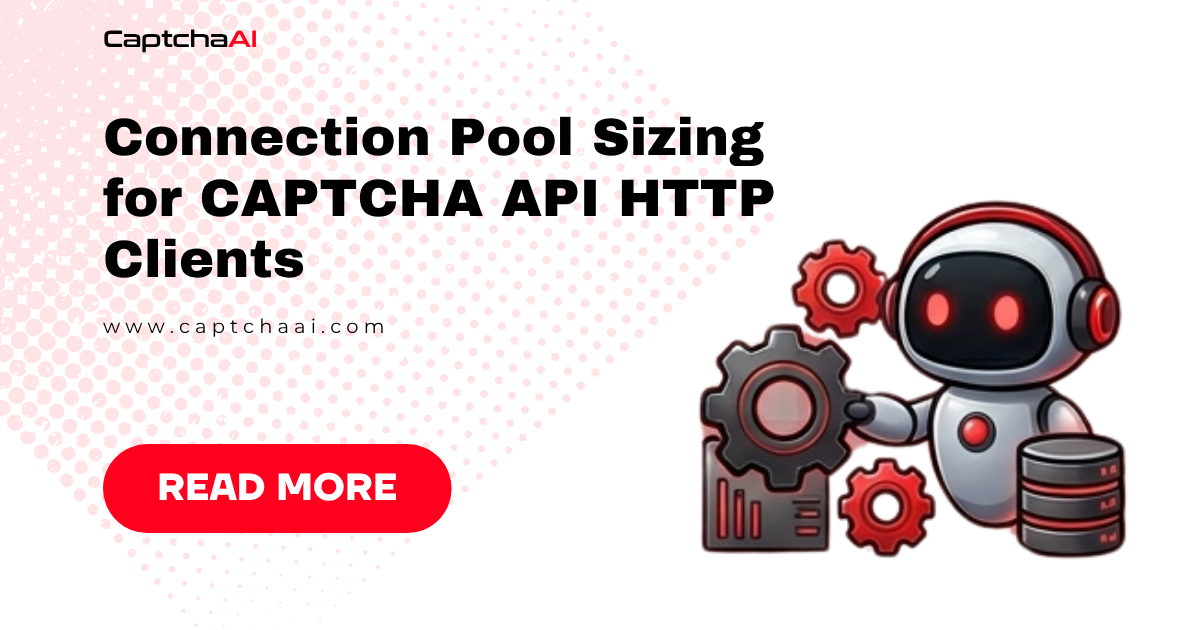
Every HTTP request to CaptchaAI needs a TCP connection. Creating a new connection per request wastes 50–100 ms on the TLS handshake. Too few pooled connections bottleneck your throughput. Too many waste memory and risk socket exhaustion. This guide covers how to size your connection pool correctly.
The Problem: Connection Lifecycle
No pool:     [DNS] → [TCP] → [TLS] → [Request] → [Response] → [Close]
                              ~100ms overhead per request

With pool:   [Request] → [Response]   (reuse existing connection)
                              ~0ms overhead
For CAPTCHA solving, each task makes at minimum 2 requests (submit + result) and often 5–12 (submit + polls). Connection reuse saves 100–1,200 ms per task.
Python: requests + HTTPAdapter
Default Pool Size (10)
import requests

# Default: pool_connections=10, pool_maxsize=10
session = requests.Session()

# 10 concurrent requests work fine
# 11th request waits for a connection → bottleneck
Sized for CAPTCHA Workload
from requests.adapters import HTTPAdapter

session = requests.Session()

adapter = HTTPAdapter(
    pool_connections=1,     # Number of connection pools (1 per host)
    pool_maxsize=25,        # Max connections per pool
    max_retries=2
)
session.mount("https://ocr.captchaai.com", adapter)

# Now supports 25 concurrent requests to CaptchaAI
Why pool_connections=1? All requests go to ocr.captchaai.com. You only need one pool. pool_maxsize controls how many concurrent connections that pool holds.
Sizing Formula
pool_maxsize = concurrent_workers × requests_per_worker

Example:
  10 workers × 1 request at a time = pool_maxsize=10
  20 workers × 1 request at a time = pool_maxsize=20
  10 workers × 2 overlapping requests = pool_maxsize=20
Python: aiohttp (Async)
import aiohttp

# Default: limit=100, limit_per_host=0 (unlimited per host)
connector = aiohttp.TCPConnector(
    limit=50,          # Total connections across all hosts
    limit_per_host=50, # Connections to ocr.captchaai.com
    ttl_dns_cache=300,  # Cache DNS for 5 minutes
    keepalive_timeout=30
)

async with aiohttp.ClientSession(connector=connector) as session:
    # Up to 50 concurrent requests
    pass
Sizing for aiohttp
limit_per_host = max_concurrent_captcha_tasks

If solving 30 CAPTCHAs concurrently:
  limit_per_host=30 (each task has 1 active request at a time)

If solving 30 CAPTCHAs + 30 polling simultaneously:
  limit_per_host=60
JavaScript: axios + http.Agent
Default Node.js Behavior
// Node.js default with http.globalAgent:
// maxSockets = Infinity (no limit, but unbounded)
// keepAlive = false (Node < 19), true (Node 19+)
Configured for CAPTCHA Solving
const http = require("http");
const https = require("https");
const axios = require("axios");

const agent = new https.Agent({
  keepAlive: true,
  maxSockets: 25, // Max concurrent connections per host
  maxFreeSockets: 10, // Keep 10 idle connections warm
  timeout: 30000, // Socket timeout
});

const client = axios.create({
  httpsAgent: agent,
  baseURL: "https://ocr.captchaai.com",
});

// All requests through this client share the connection pool
async function submitCaptcha(sitekey, pageurl) {
  const resp = await client.post("/in.php", null, {
    params: {
      key: process.env.CAPTCHAAI_API_KEY,
      method: "userrecaptcha",
      googlekey: sitekey,
      pageurl: pageurl,
      json: 1,
    },
  });
  return resp.data;
}
JavaScript: undici (Faster)
const { Agent, request } = require("undici");

const agent = new Agent({
  connections: 25, // Max connections per origin
  pipelining: 1, // HTTP pipelining depth
  keepAliveTimeout: 30000,
  keepAliveMaxTimeout: 60000,
});

async function submitCaptcha(sitekey, pageurl) {
  const { body } = await request("https://ocr.captchaai.com/in.php", {
    method: "POST",
    dispatcher: agent,
    headers: { "Content-Type": "application/x-www-form-urlencoded" },
    body: `key=${process.env.CAPTCHAAI_API_KEY}&method=userrecaptcha&googlekey=${sitekey}&pageurl=${encodeURIComponent(pageurl)}&json=1`,
  });

  return await body.json();
}
Pool Sizing Guide
| Concurrent Tasks | Pool Size | Memory per Connection | Total Memory |
|---|---|---|---|
| 5 | 5 | ~50 KB | ~250 KB |
| 10 | 10-15 | ~50 KB | ~500-750 KB |
| 25 | 25-30 | ~50 KB | ~1.25-1.5 MB |
| 50 | 50-60 | ~50 KB | ~2.5-3 MB |
| 100 | 100-120 | ~50 KB | ~5-6 MB |
Connection pool memory is negligible. The real constraint is CaptchaAI's server-side connection limits and your OS's file descriptor limit.
Detecting Pool Issues
Too Few Connections
Symptom: Requests queue behind the pool, adding latency.
# Python: enable urllib3 logging to see pool waiting
import logging
logging.getLogger("urllib3.connectionpool").setLevel(logging.DEBUG)

# Look for: "Connection pool is full, discarding connection"
# or high latency on simple requests
Too Many Connections
Symptom: Socket exhaustion, ConnectionError, OSError: [Errno 24] Too many open files.
# Check open connections
# Linux
ss -s
lsof -i -n | grep captchaai | wc -l

# Windows PowerShell
Get-NetTCPConnection | Where-Object { $_.RemoteAddress -like "*captchaai*" } | Measure-Object
Right-Sized Pool
# Monitor pool usage
import time

def log_pool_stats(session):
    for adapter in session.adapters.values():
        pool = adapter.poolmanager.connection_pool_kw
        print(f"Pool maxsize: {pool.get('maxsize', 'default')}")
OS-Level Limits
| OS | Default File Descriptors | Adjustment |
|---|---|---|
| Linux | 1024 | ulimit -n 65536 |
| macOS | 256 | ulimit -n 10240 |
| Windows | 8192 (MSVC) | Typically sufficient |
If pool_maxsize > file descriptor limit, connections fail. Increase the limit before scaling up.
Troubleshooting
| Issue | Cause | Fix |
|---|---|---|
ConnectionError: Max retries exceeded |
Pool exhausted, all connections busy | Increase pool_maxsize to match concurrency |
OSError: Too many open files |
File descriptor limit hit | Increase with ulimit -n; reduce pool size |
| High p99 latency despite fast average | Occasional connection creation (cold start) | Set maxFreeSockets to keep warm connections |
| Connections reset after idle | Server or proxy closing idle connections | Reduce keepalive_timeout; send periodic heartbeats |
FAQ
Should pool size equal my worker count?
Yes, as a starting point. Each worker typically has one active request to CaptchaAI at a time. Set pool_maxsize = worker_count + small buffer (10-20%).
Can I share a connection pool across multiple scripts?
Not directly — pools are per-process. For shared connection management, use a reverse proxy (nginx, HAProxy) with connection pooling configured server-side.
Does HTTP/2 change pool sizing?
Yes — HTTP/2 multiplexes requests over a single connection. With HTTP/2, you need far fewer connections (often 1-3 per host). See our HTTP/2 guide for details.
Related Articles
Next Steps
Optimize your CAPTCHA API connections — get your CaptchaAI API key and tune your pool size.
Related guides:
Full Working Code
Complete runnable examples for this article in Python, Node.js, PHP, Go, Java, C#, Ruby, Rust, Kotlin & Bash.
View on GitHub →



Discussions (0)
Join the conversation
Sign in to share your opinion.
Sign InNo comments yet.