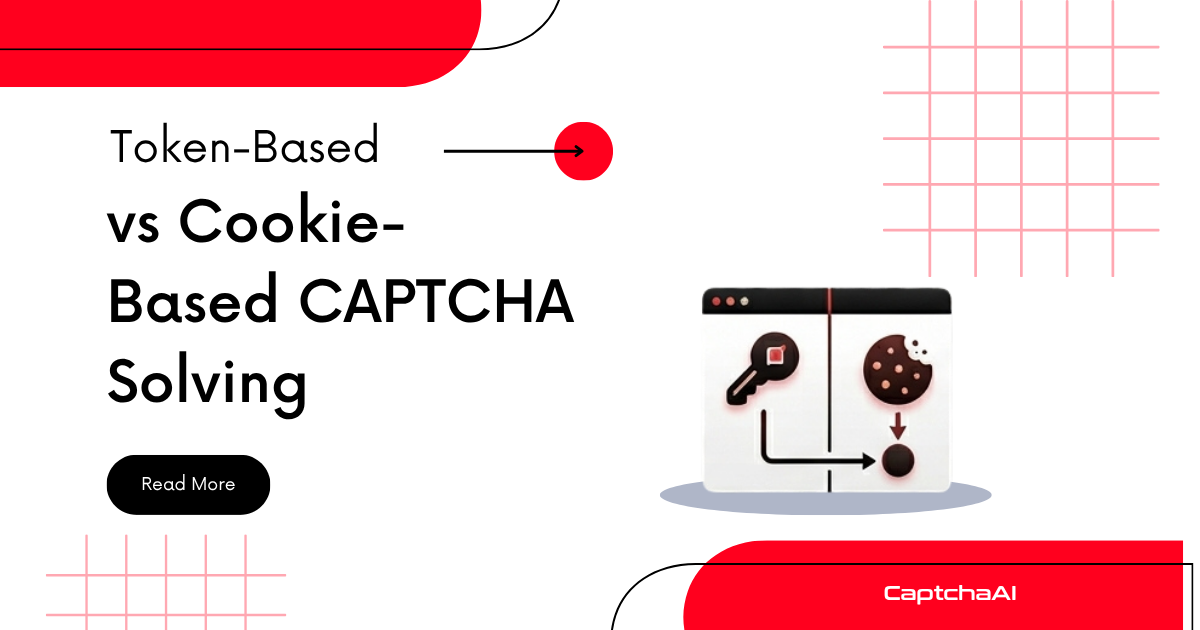
CAPTCHA solutions come in two forms: tokens that you inject into form submissions, and cookies that grant session-level access. Choosing the right approach depends on which CAPTCHA you're facing and how the target site validates it.
At a glance
| Aspect | Token-based | Cookie-based |
|---|---|---|
| Output | A string token (500+ chars) | A browser cookie (cf_clearance, etc.) |
| Used for | reCAPTCHA v2/v3, hCaptcha, Turnstile | Cloudflare Challenge pages |
| How it's used | Injected into form field or POST body | Sent with subsequent HTTP requests |
| Lifetime | 60-120 seconds | 30 minutes to 24 hours |
| Reusable | No (single use) | Yes (for the session duration) |
| Browser required | For extraction only | For solving (full browser needed) |
Token-based solving
How it works
- Extract the sitekey from the page
- Submit sitekey + page URL to CaptchaAI
- Receive a token string
- Inject the token into the hidden form field
- Submit the form
Which CAPTCHAs use tokens
- reCAPTCHA v2: Token goes into
g-recaptcha-responsetextarea - reCAPTCHA v3: Same field, but also need
actionandmin_score - hCaptcha: Token goes into
h-captcha-response - Turnstile: Token goes into
cf-turnstile-response
Implementation
import requests
import time

API_KEY = "YOUR_API_KEY"

# 1. Solve
resp = requests.post("https://ocr.captchaai.com/in.php", data={
    "key": API_KEY,
    "method": "userrecaptcha",
    "googlekey": "6Le-wvkSAAAAAPBMR...",
    "pageurl": "https://example.com/login",
    "json": "1",
}).json()
task_id = resp["request"]

# 2. Poll
token = None
for _ in range(24):
    time.sleep(5)
    result = requests.get("https://ocr.captchaai.com/res.php", params={
        "key": API_KEY, "action": "get", "id": task_id, "json": "1"
    }).json()
    if result["status"] == 1:
        token = result["request"]
        break

# 3. Submit form with token (no browser needed)
form_response = requests.post("https://example.com/login", data={
    "email": "user@example.com",
    "password": "password",
    "g-recaptcha-response": token,
})
Key characteristics
- No browser needed for submission: You can inject the token directly into an HTTP POST request
- Short-lived: Tokens expire in 60-120 seconds — solve and use immediately
- Single use: Each token works once; solve again for each form submission
- Server-side validation: The target site sends the token to Google/Cloudflare/hCaptcha for verification
Cookie-based solving
How it works
- A challenge page is served (Cloudflare Challenge, JS Challenge)
- A browser solves the challenge (may involve Turnstile internally)
- The server sets a session cookie (
cf_clearance) - All subsequent requests with that cookie skip the challenge
Which CAPTCHAs use cookies
- Cloudflare Challenge pages:
cf_clearancecookie - JS Challenge: Cloudflare JavaScript-only challenge
- Some WAF challenges: Various Web Application Firewalls
Implementation
from selenium import webdriver
import requests
import time

# 1. Solve the challenge in a browser
driver = webdriver.Chrome()
driver.get("https://example.com/protected")

# Wait for challenge to complete (manually or with CaptchaAI)
time.sleep(10)  # Or use CaptchaAI token injection

# 2. Extract cookies from browser
cookies = driver.get_cookies()
cf_clearance = next(
    (c for c in cookies if c["name"] == "cf_clearance"), None
)
user_agent = driver.execute_script("return navigator.userAgent")
driver.quit()

# 3. Use cookies for subsequent requests (no browser needed)
session = requests.Session()
session.headers.update({"User-Agent": user_agent})

for cookie in cookies:
    session.cookies.set(cookie["name"], cookie["value"])

# All requests now pass the challenge
for page in range(1, 50):
    resp = session.get(f"https://example.com/api/data?page={page}")
    print(f"Page {page}: {resp.status_code}")
Key characteristics
- Browser required for solving: The challenge needs a full browser environment
- Long-lived: Cookies last 30 minutes to 24 hours
- Reusable: One solve grants access to many requests
- IP-bound: The cookie is tied to the IP that solved the challenge
- UA-bound: The User-Agent must match the one used during solving
When to use which
| Scenario | Approach | Why |
|---|---|---|
| Login form with reCAPTCHA | Token | Submit token with form data |
| Scraping a Cloudflare-protected site | Cookie | One solve, many page requests |
| Form submission with Turnstile | Token | Inject into cf-turnstile-response |
| Accessing an API behind Cloudflare | Cookie | Reuse cookie for all API calls |
| Submitting multiple forms | Token (each time) | Each form needs a fresh token |
| Bulk scraping same domain | Cookie | Solve once, scrape until cookie expires |
Hybrid approach
Some sites use both: a Cloudflare Challenge page (cookie) protecting a form that has reCAPTCHA (token).
# Step 1: Get past Cloudflare (cookie)
session = get_cf_clearance_session("https://example.com")

# Step 2: Load the form (using the cookie session)
html = session.get("https://example.com/submit").text
sitekey = extract_sitekey(html)

# Step 3: Solve reCAPTCHA (token)
token = solve_recaptcha(sitekey, "https://example.com/submit")

# Step 4: Submit form (cookie + token)
resp = session.post("https://example.com/submit", data={
    "data": "value",
    "g-recaptcha-response": token,
})
Comparison summary
| Feature | Token | Cookie |
|---|---|---|
| Solve cost | Per form submission | Per session (amortized) |
| Solve time | 10-30s per token | 10-30s once |
| Requests per solve | 1 | Many (until expiry) |
| IP flexibility | Token works from any IP | Cookie tied to solving IP |
| Browser for use | Not needed | Not needed (just the cookie) |
| Expiry risk | 60-120s | 30 min - 24 hours |
FAQ
Can I convert a token-based CAPTCHA to cookie-based?
No. The approach depends on how the site validates. reCAPTCHA always uses tokens; Cloudflare Challenge always uses cookies.
Which is cheaper for high-volume scraping?
Cookie-based is far cheaper when available. One solve covers thousands of requests. Token-based requires a solve per form submission.
Does CaptchaAI handle both?
Yes. Token-based CAPTCHAs return a token string. For Cloudflare Challenge pages, you can use the Turnstile solver to get the token needed to complete the challenge, then extract the resulting cookie.
Solve CAPTCHAs with CaptchaAI
Get your API key at captchaai.com.


Discussions (0)
Join the conversation
Sign in to share your opinion.
Sign InNo comments yet.