BLS CAPTCHA presents a 3×3 grid of images with a numeric instruction code. You must select the cells that match the instruction. CaptchaAI handles the image analysis and returns the correct cell indices.
This guide shows you how to extract the grid images, encode them for the API, submit to CaptchaAI, and click the correct cells.
Prerequisites
| Item | Value |
|---|---|
| CaptchaAI API key | From captchaai.com |
| Python | 3.7+ |
| Libraries | requests, selenium, Pillow |
| Target page | A page with BLS CAPTCHA |
How BLS CAPTCHA works
BLS presents a 3×3 grid. Each cell contains a small image. A numeric instruction (e.g., "664") tells the user which cells to select. The cells are numbered left-to-right, top-to-bottom:
1 | 2 | 3
---------
4 | 5 | 6
---------
7 | 8 | 9
Step 1: Extract grid images and instruction
import base64
from selenium import webdriver
from selenium.webdriver.common.by import By

driver = webdriver.Chrome()
driver.get("https://example.com/bls-form")

# Get the instruction code
instruction = driver.find_element(By.CSS_SELECTOR, ".bls-instruction").text
# e.g., "664"

# Get all 9 grid cell images as base64
cells = driver.find_elements(By.CSS_SELECTOR, ".bls-grid img")
images = []
for cell in cells:
    src = cell.get_attribute("src")
    if src.startswith("data:"):
        images.append(src)
    else:
        img_data = requests.get(src).content
        b64 = base64.b64encode(img_data).decode()
        images.append(f"data:image/png;base64,{b64}")
Step 2: Submit to CaptchaAI
import requests
import time
import json

API_KEY = "YOUR_API_KEY"

# Build the submission data
data = {
    "key": API_KEY,
    "method": "bls",
    "instructions": instruction,
    "json": 1,
}

# Add all 9 images
files = {}
for i, img in enumerate(images):
    files[f"image_base64_{i + 1}"] = (None, img)

response = requests.post("https://ocr.captchaai.com/in.php", data=data, files=files)
result = response.json()

if result["status"] != 1:
    raise Exception(f"Submit failed: {result['request']}")

task_id = result["request"]
print(f"Task submitted: {task_id}")
Step 3: Poll for the solution
time.sleep(5)

for _ in range(30):
    result = requests.get("https://ocr.captchaai.com/res.php", params={
        "key": API_KEY,
        "action": "get",
        "id": task_id,
        "json": 1,
    }).json()

    if result["status"] == 1:
        selected_cells = json.loads(result["request"])
        print(f"Selected cells: {selected_cells}")
        # e.g., [1, 4, 7, 8]
        break

    if result["request"] != "CAPCHA_NOT_READY":
        raise Exception(f"Error: {result['request']}")

    time.sleep(5)
Step 4: Click the correct cells
# Click the identified cells (0-indexed in Selenium)
for cell_number in selected_cells:
    idx = cell_number - 1  # Convert to 0-based index
    cells[idx].click()

# Submit the form
driver.find_element(By.CSS_SELECTOR, ".bls-submit").click()
print("BLS CAPTCHA solved and submitted")
Complete working example
import requests
import time
import json
import base64
from selenium import webdriver
from selenium.webdriver.common.by import By

API_KEY = "YOUR_API_KEY"

# 1. Load the page
driver = webdriver.Chrome()
driver.get("https://example.com/bls-form")

# 2. Extract instruction and images
instruction = driver.find_element(By.CSS_SELECTOR, ".bls-instruction").text
cells = driver.find_elements(By.CSS_SELECTOR, ".bls-grid img")
images = []
for cell in cells:
    src = cell.get_attribute("src")
    if src.startswith("data:"):
        images.append(src)
    else:
        img_data = requests.get(src).content
        b64 = base64.b64encode(img_data).decode()
        images.append(f"data:image/png;base64,{b64}")

# 3. Submit to CaptchaAI
data = {"key": API_KEY, "method": "bls", "instructions": instruction, "json": 1}
files = {f"image_base64_{i+1}": (None, img) for i, img in enumerate(images)}
submit = requests.post("https://ocr.captchaai.com/in.php", data=data, files=files).json()
task_id = submit["request"]

# 4. Poll for result
time.sleep(5)
for _ in range(30):
    poll = requests.get("https://ocr.captchaai.com/res.php", params={
        "key": API_KEY, "action": "get", "id": task_id, "json": 1
    }).json()
    if poll["status"] == 1:
        selected = json.loads(poll["request"])
        break
    if poll["request"] != "CAPCHA_NOT_READY":
        raise Exception(poll["request"])
    time.sleep(5)

# 5. Click and submit
for cell_num in selected:
    cells[cell_num - 1].click()
driver.find_element(By.CSS_SELECTOR, ".bls-submit").click()
print(f"Solved: clicked cells {selected}")
driver.quit()
Expected output:
Solved: clicked cells [1, 4, 7, 8]
Common errors
| Error | Cause | Fix |
|---|---|---|
ERROR_BAD_PARAMETERS |
Missing images or invalid instruction | Ensure all 9 images and instruction are provided |
CAPCHA_NOT_READY |
Still processing | Continue polling every 5 seconds |
ERROR_ZERO_BALANCE |
No funds | Top up your CaptchaAI account |
FAQ
How fast is BLS CAPTCHA solving?
Typically 5–15 seconds, faster than reCAPTCHA or GeeTest.
What format should the images be in?
Base64-encoded data URIs (e.g., data:image/png;base64,...). JPG, PNG, and GIF are supported.
Can I send the full grid as one image?
No. BLS requires all 9 individual cell images sent separately.
Related guides
Start solving BLS CAPTCHAs with CaptchaAI →
Full Working Code
Complete runnable examples for this article in Python, Node.js, PHP, Go, Java, C#, Ruby, Rust, Kotlin & Bash.
View on GitHub →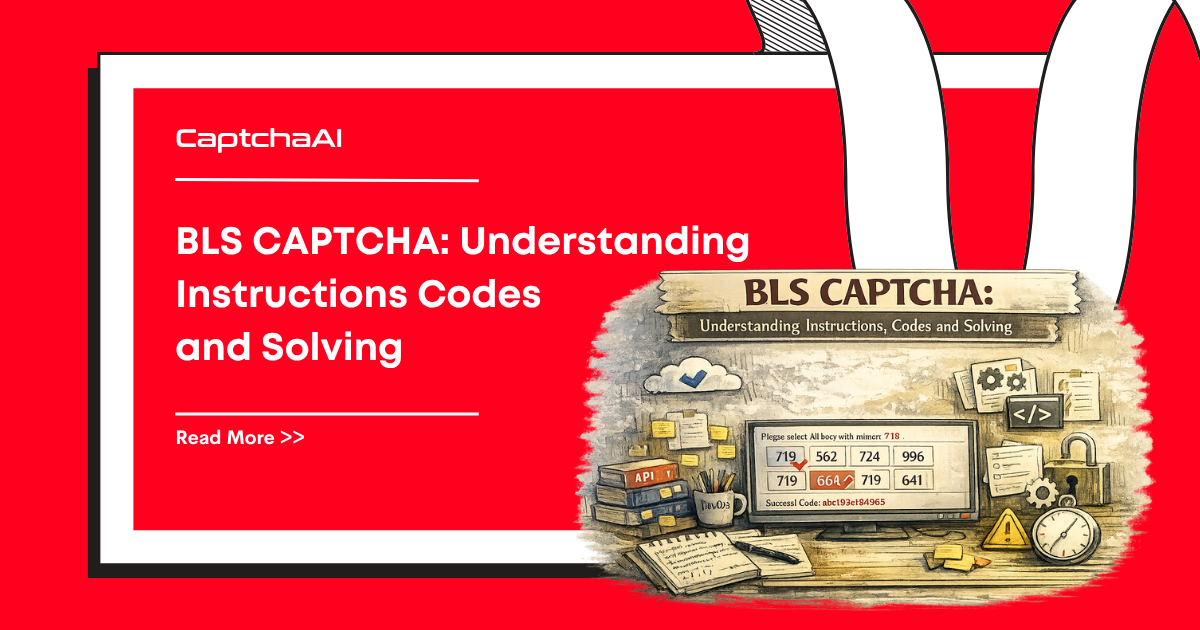



Discussions (0)
Join the conversation
Sign in to share your opinion.
Sign InNo comments yet.