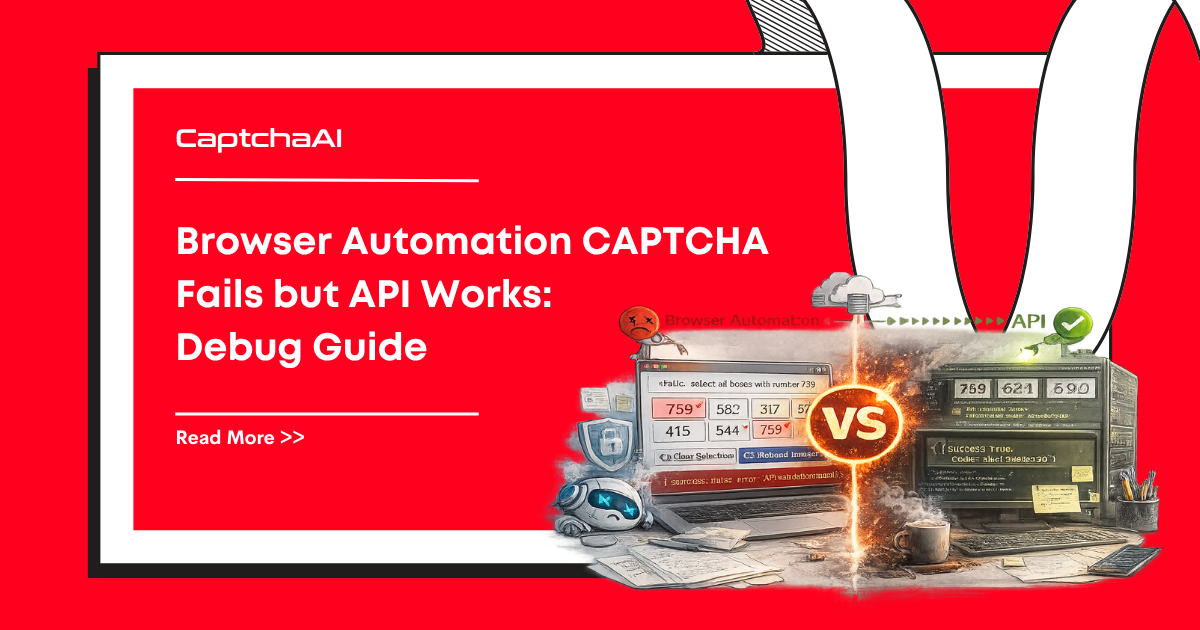
You solved the CAPTCHA via CaptchaAI and got a valid token, but injecting it into the browser doesn't work. This guide covers every reason why and how to fix each one.
Common Failure Points
| Issue | Symptom | Root Cause |
|---|---|---|
| Token not injected into correct element | Form submits without token | Wrong textarea selector |
| Token expired before submission | Site shows CAPTCHA again | Too slow between solve and submit |
| Callback not triggered | Form button stays disabled | Missing grecaptcha callback |
| Wrong pageurl sent to API | Token invalid for this domain | URL mismatch |
| Bot detection beyond CAPTCHA | Blocked after token accepted | Browser fingerprinting |
Fix 1: Correct Token Injection for reCAPTCHA v2
The token must go into the g-recaptcha-response textarea AND the callback must fire:
from selenium import webdriver
from selenium.webdriver.common.by import By
import time


def inject_recaptcha_token(driver, token):
    """Properly inject reCAPTCHA v2 token in browser."""

    # Step 1: Make the response textarea visible and set the value
    driver.execute_script("""
        // Find all response textareas (may be multiple on page)
        var textareas = document.querySelectorAll('[name="g-recaptcha-response"]');
        textareas.forEach(function(ta) {
            ta.style.display = 'block';
            ta.value = arguments[0];
        });

        // Also set via ID if present
        var byId = document.getElementById('g-recaptcha-response');
        if (byId) {
            byId.style.display = 'block';
            byId.value = arguments[0];
        }
    """, token)

    # Step 2: Trigger the callback
    driver.execute_script("""
        // Try standard callback
        if (typeof ___grecaptcha_cfg !== 'undefined') {
            var clients = ___grecaptcha_cfg.clients;
            for (var key in clients) {
                var client = clients[key];
                // Navigate nested structure to find callback
                for (var prop in client) {
                    var val = client[prop];
                    if (val && typeof val === 'object') {
                        for (var subprop in val) {
                            var subval = val[subprop];
                            if (subval && typeof subval === 'object' && subval.callback) {
                                subval.callback(arguments[0]);
                                return;
                            }
                        }
                    }
                }
            }
        }
        // Fallback: try common callback names
        if (typeof onCaptchaSuccess === 'function') onCaptchaSuccess(arguments[0]);
        else if (typeof captchaCallback === 'function') captchaCallback(arguments[0]);
    """, token)


# Usage
driver = webdriver.Chrome()
driver.get("https://example.com/form")
# ... solve CAPTCHA via CaptchaAI ...
inject_recaptcha_token(driver, token)
time.sleep(1)
driver.find_element(By.CSS_SELECTOR, "button[type=submit]").click()
Fix 2: Handle Callback-Dependent Forms
Some forms stay disabled until the CAPTCHA callback fires:
def find_and_trigger_callback(driver, token):
    """Find the reCAPTCHA callback and trigger it."""

    # Method 1: Extract callback from data attribute
    callback_name = driver.execute_script("""
        var widget = document.querySelector('.g-recaptcha');
        if (widget) {
            return widget.getAttribute('data-callback');
        }
        return null;
    """)

    if callback_name:
        driver.execute_script(f"window['{callback_name}'](arguments[0]);", token)
        return True

    # Method 2: Extract from grecaptcha config
    triggered = driver.execute_script("""
        try {
            var widgetId = 0;
            var callback = ___grecaptcha_cfg.clients[widgetId].aa.l.callback;
            if (typeof callback === 'function') {
                callback(arguments[0]);
                return true;
            }
        } catch(e) {}
        return false;
    """, token)

    return triggered
Fix 3: Timing — Solve and Use Immediately
import requests
import time


def solve_and_inject_fast(driver, api_key, sitekey, page_url):
    """Solve CAPTCHA and inject token with minimal delay."""
    # Submit solve request
    resp = requests.post("https://ocr.captchaai.com/in.php", data={
        "key": api_key,
        "method": "userrecaptcha",
        "googlekey": sitekey,
        "pageurl": page_url,
        "json": 1,
    }, timeout=30)
    task_id = resp.json()["request"]

    # Poll for result
    time.sleep(15)
    for _ in range(24):
        resp = requests.get("https://ocr.captchaai.com/res.php", params={
            "key": api_key, "action": "get",
            "id": task_id, "json": 1,
        }, timeout=15)
        data = resp.json()

        if data.get("status") == 1:
            token = data["request"]

            # IMMEDIATELY inject — don't wait
            inject_recaptcha_token(driver, token)

            # Submit form within 5 seconds
            time.sleep(0.5)
            return True

        if data["request"] != "CAPCHA_NOT_READY":
            raise RuntimeError(data["request"])
        time.sleep(5)

    raise TimeoutError("Solve timeout")
Fix 4: Correct pageurl for SPAs and Iframes
def get_correct_pageurl(driver):
    """Get the URL that reCAPTCHA actually sees."""

    # Check if CAPTCHA is in an iframe
    iframes = driver.find_elements(By.TAG_NAME, "iframe")

    for iframe in iframes:
        src = iframe.get_attribute("src") or ""
        if "recaptcha" in src or "anchor" in src:
            # CAPTCHA is in iframe — use parent page URL
            return driver.current_url

    # For SPAs, use current URL (may differ from initial load)
    return driver.current_url


# WRONG — using the URL you navigated to
pageurl = "https://example.com/form"  # May have redirected

# CORRECT — using the URL the browser is actually on
pageurl = get_correct_pageurl(driver)
Fix 5: Anti-Bot Detection Beyond CAPTCHA
Even with a valid token, the site may block automated browsers:
from selenium import webdriver
from selenium.webdriver.chrome.options import Options
from selenium.webdriver.chrome.service import Service


def create_stealth_driver():
    """Create a browser that avoids basic bot detection."""
    options = Options()

    # Remove automation indicators
    options.add_argument("--disable-blink-features=AutomationControlled")
    options.add_experimental_option("excludeSwitches", ["enable-automation"])
    options.add_experimental_option("useAutomationExtension", False)

    # Set realistic window size
    options.add_argument("--window-size=1920,1080")

    driver = webdriver.Chrome(options=options)

    # Override navigator.webdriver
    driver.execute_cdp_cmd("Page.addScriptToEvaluateOnNewDocument", {
        "source": "Object.defineProperty(navigator, 'webdriver', {get: () => undefined})"
    })

    return driver


driver = create_stealth_driver()
Fix 6: Turnstile Token Injection
Cloudflare Turnstile uses a different injection approach:
def inject_turnstile_token(driver, token):
    """Inject Turnstile token into the page."""
    driver.execute_script("""
        // Find Turnstile response input
        var inputs = document.querySelectorAll(
            'input[name="cf-turnstile-response"], ' +
            'input[name="g-recaptcha-response"]'
        );

        inputs.forEach(function(input) {
            input.value = arguments[0];
        });

        // Trigger change event
        inputs.forEach(function(input) {
            input.dispatchEvent(new Event('change', { bubbles: true }));
            input.dispatchEvent(new Event('input', { bubbles: true }));
        });

        // Try Turnstile callback
        if (window.turnstile) {
            var widgets = document.querySelectorAll('[data-callback]');
            widgets.forEach(function(w) {
                var cb = w.getAttribute('data-callback');
                if (typeof window[cb] === 'function') {
                    window[cb](arguments[0]);
                }
            });
        }
    """, token)
Debug Checklist
def debug_captcha_injection(driver, token):
    """Print debug info to diagnose injection failures."""
    info = driver.execute_script("""
        var result = {};

        // Check textarea exists
        var ta = document.querySelector('[name="g-recaptcha-response"]');
        result.textarea_found = !!ta;
        result.textarea_value_set = ta ? ta.value.length > 0 : false;

        // Check reCAPTCHA loaded
        result.grecaptcha_loaded = typeof grecaptcha !== 'undefined';

        // Check for callback
        var widget = document.querySelector('.g-recaptcha');
        result.has_data_callback = widget ? !!widget.getAttribute('data-callback') : false;
        result.callback_name = widget ? widget.getAttribute('data-callback') : null;

        // Current URL
        result.current_url = window.location.href;

        // Check for errors in console (basic)
        result.has_submit_button = !!document.querySelector('button[type=submit], input[type=submit]');

        return result;
    """)

    for key, value in info.items():
        print(f"  {key}: {value}")

    return info
Troubleshooting
| Symptom | Cause | Fix |
|---|---|---|
| Token set but form rejects | Callback not triggered | Find and call the callback function |
| Submit button stays disabled | Callback enables it | Trigger callback after token injection |
| "Invalid CAPTCHA" after submit | Token expired | Reduce time between solve and submit |
| 403 after form submission | Bot detection (not CAPTCHA) | Use stealth browser options |
| Works in requests, fails in browser | Different pageurl | Use driver.current_url as pageurl |
FAQ
Why does the token work in requests but not in browser?
Usually because the callback function isn't triggered. Browser forms often rely on the callback to enable submission or set hidden fields.
Do I need to use a specific browser?
Chrome/Chromium is most compatible. Firefox works but may need different approaches for CDP commands. Use undetected-chromedriver for sites with strong bot detection.
Should I use headless mode?
Some sites detect headless browsers and reject tokens. Try headful mode first, then switch to headless with proper flags if it works.
Related Guides
Solve browser CAPTCHAs reliably — try CaptchaAI.




Discussions (0)
Join the conversation
Sign in to share your opinion.
Sign InNo comments yet.