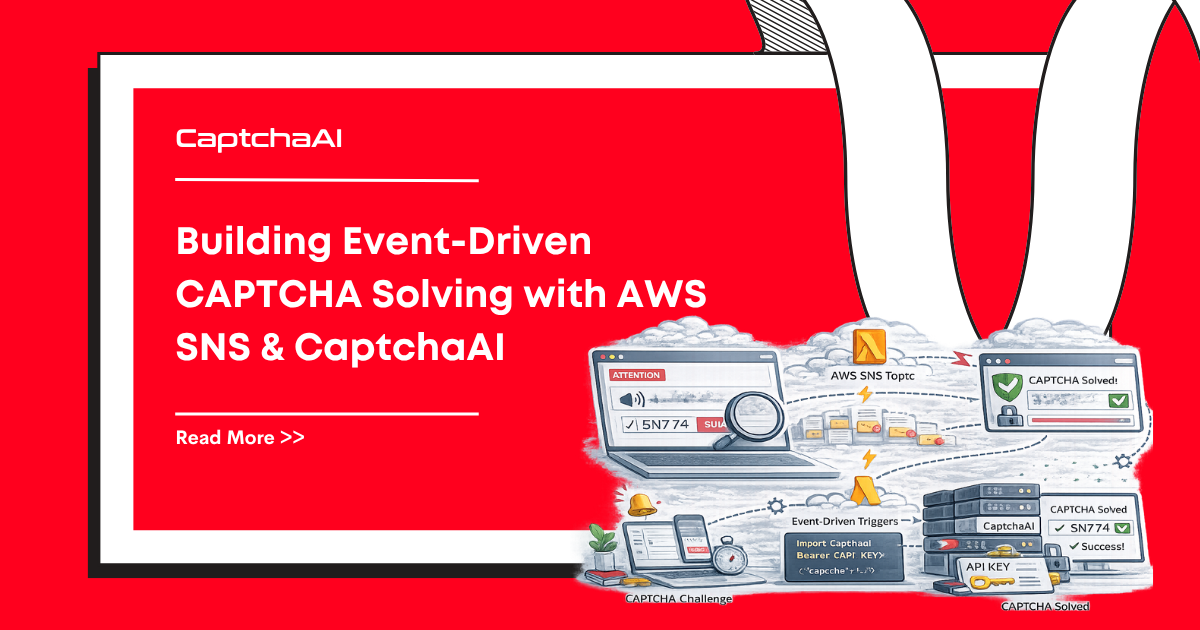
Polling for CAPTCHA results ties up threads and creates tight coupling between your scraper and the solve pipeline. AWS SNS (Simple Notification Service) decouples these concerns — CaptchaAI sends results to your callback, which publishes to SNS, and any number of downstream consumers react independently.
Architecture Overview
[Scraper] → Submit CAPTCHA → [CaptchaAI API]
                                    ↓
                            Solve completes
                                    ↓
                            Callback → [API Gateway + Lambda]
                                    ↓
                            Publish → [SNS Topic]
                                    ↓
                    ┌───────────────┼───────────────┐
                    ↓               ↓               ↓
            [SQS Queue]      [Lambda Logger]   [Email Alert]
            (result store)   (audit trail)     (on failure)
SNS provides fan-out: one CAPTCHA result triggers multiple consumers without the callback handler knowing about them.
Step 1: Create the SNS Topic
AWS CLI
aws sns create-topic --name captcha-results --output text
# Returns: arn:aws:sns:us-east-1:123456789:captcha-results
Python (boto3)
import boto3

sns = boto3.client("sns", region_name="us-east-1")

response = sns.create_topic(Name="captcha-results")
topic_arn = response["TopicArn"]
print(f"Topic ARN: {topic_arn}")
Step 2: Build the Callback Receiver
This Lambda function receives CaptchaAI callback results and publishes them to SNS.
Python (Lambda Handler)
import json
import os
import boto3

sns = boto3.client("sns")
TOPIC_ARN = os.environ["SNS_TOPIC_ARN"]


def lambda_handler(event, context):
    """Receive CaptchaAI callback and publish to SNS."""
    # Parse query parameters from API Gateway
    params = event.get("queryStringParameters", {}) or {}
    task_id = params.get("id", "")
    solution = params.get("code", "")

    if not task_id or not solution:
        return {"statusCode": 400, "body": "Missing id or code"}

    # Publish to SNS
    message = {
        "task_id": task_id,
        "solution": solution,
        "status": "solved"
    }

    sns.publish(
        TopicArn=TOPIC_ARN,
        Message=json.dumps(message),
        Subject="captcha-solved",
        MessageAttributes={
            "task_id": {
                "DataType": "String",
                "StringValue": task_id
            }
        }
    )

    return {"statusCode": 200, "body": "OK"}
JavaScript (Lambda Handler)
const { SNSClient, PublishCommand } = require("@aws-sdk/client-sns");

const sns = new SNSClient({ region: "us-east-1" });
const TOPIC_ARN = process.env.SNS_TOPIC_ARN;

exports.handler = async (event) => {
  const params = event.queryStringParameters || {};
  const taskId = params.id;
  const solution = params.code;

  if (!taskId || !solution) {
    return { statusCode: 400, body: "Missing id or code" };
  }

  const message = {
    task_id: taskId,
    solution: solution,
    status: "solved",
  };

  await sns.send(
    new PublishCommand({
      TopicArn: TOPIC_ARN,
      Message: JSON.stringify(message),
      Subject: "captcha-solved",
      MessageAttributes: {
        task_id: { DataType: "String", StringValue: taskId },
      },
    })
  );

  return { statusCode: 200, body: "OK" };
};
Step 3: Submit CAPTCHAs with the Callback URL
Point CaptchaAI's pingback to your API Gateway endpoint:
Python
import os
import requests

API_KEY = os.environ["CAPTCHAAI_API_KEY"]
CALLBACK_URL = os.environ["CALLBACK_GATEWAY_URL"]  # API Gateway URL


def submit_captcha(sitekey, pageurl):
    """Submit CAPTCHA with SNS-backed callback."""
    resp = requests.post("https://ocr.captchaai.com/in.php", data={
        "key": API_KEY,
        "method": "userrecaptcha",
        "googlekey": sitekey,
        "pageurl": pageurl,
        "pingback": CALLBACK_URL,
        "json": 1
    })
    data = resp.json()

    if data.get("status") == 1:
        return data["request"]  # task_id
    raise RuntimeError(f"Submit failed: {data.get('request')}")
Step 4: Subscribe Consumers
SQS Queue (Result Storage)
# Subscribe an SQS queue to receive all results
sqs_arn = "arn:aws:sqs:us-east-1:123456789:captcha-results-queue"

sns.subscribe(
    TopicArn=topic_arn,
    Protocol="sqs",
    Endpoint=sqs_arn
)
Lambda (Audit Logger)
# Subscribe a Lambda for audit logging
lambda_arn = "arn:aws:lambda:us-east-1:123456789:function:captcha-audit-logger"

sns.subscribe(
    TopicArn=topic_arn,
    Protocol="lambda",
    Endpoint=lambda_arn
)
Email (Failure Alerts)
# Subscribe email for error notifications with filter
sns.subscribe(
    TopicArn=topic_arn,
    Protocol="email",
    Endpoint="ops@example.com"
)
Step 5: Consume Results from SQS
Your scraper reads solutions from SQS instead of polling CaptchaAI:
Python
import json
import boto3

sqs = boto3.client("sqs", region_name="us-east-1")
QUEUE_URL = os.environ["SQS_QUEUE_URL"]


def get_solved_captcha(timeout=30):
    """Wait for a CAPTCHA solution from the SQS queue."""
    response = sqs.receive_message(
        QueueUrl=QUEUE_URL,
        MaxNumberOfMessages=1,
        WaitTimeSeconds=min(timeout, 20)  # Long polling (max 20s)
    )

    messages = response.get("Messages", [])
    if not messages:
        return None

    msg = messages[0]
    # SNS wraps the message — unwrap it
    sns_envelope = json.loads(msg["Body"])
    result = json.loads(sns_envelope["Message"])

    # Delete message after processing
    sqs.delete_message(
        QueueUrl=QUEUE_URL,
        ReceiptHandle=msg["ReceiptHandle"]
    )

    return result
JavaScript
const {
  SQSClient,
  ReceiveMessageCommand,
  DeleteMessageCommand,
} = require("@aws-sdk/client-sqs");

const sqs = new SQSClient({ region: "us-east-1" });
const QUEUE_URL = process.env.SQS_QUEUE_URL;

async function getSolvedCaptcha(timeout = 30) {
  const response = await sqs.send(
    new ReceiveMessageCommand({
      QueueUrl: QUEUE_URL,
      MaxNumberOfMessages: 1,
      WaitTimeSeconds: Math.min(timeout, 20),
    })
  );

  const messages = response.Messages || [];
  if (messages.length === 0) return null;

  const msg = messages[0];
  const snsEnvelope = JSON.parse(msg.Body);
  const result = JSON.parse(snsEnvelope.Message);

  await sqs.send(
    new DeleteMessageCommand({
      QueueUrl: QUEUE_URL,
      ReceiptHandle: msg.ReceiptHandle,
    })
  );

  return result;
}
SNS Message Filtering
Route different results to different consumers:
# Only send failures to the ops queue
sns.subscribe(
    TopicArn=topic_arn,
    Protocol="sqs",
    Endpoint=failure_queue_arn,
    Attributes={
        "FilterPolicy": json.dumps({
            "status": ["failed", "error"]
        })
    }
)
Troubleshooting
| Issue | Cause | Fix |
|---|---|---|
| Callback returns 403 | API Gateway auth blocking CaptchaAI | Disable auth on the callback route; use token-based validation instead |
| SQS messages not arriving | SNS → SQS permission missing | Add sns:Publish permission to the SQS queue policy |
| Duplicate results processed | SNS delivers at-least-once | Implement idempotency — check task_id before processing |
| Lambda cold start delays callback | Provisioned concurrency not set | Enable provisioned concurrency for the callback Lambda |
FAQ
Why use SNS instead of processing results directly in the callback Lambda?
SNS decouples the callback handler from downstream logic. You can add new consumers (logging, alerting, analytics) without modifying the callback Lambda. The callback stays simple and fast.
What's the added latency from the SNS layer?
SNS adds 10–50 ms per message. Since CAPTCHA solves take 5–30 seconds, this overhead is negligible.
Can I use SNS FIFO for ordered processing?
Yes. Use an SNS FIFO topic with SQS FIFO queue if you need ordered results. Set the MessageGroupId to the task ID for per-task ordering.
Related Articles
- Building Client Captcha Pipelines Captchaai
- Building Responsible Automation Captchaai
- Building Captchaai Usage Dashboard Monitoring
Next Steps
Build event-driven CAPTCHA solving — get your CaptchaAI API key and connect it to your AWS event pipeline.
Related guides:
- AWS Lambda + CaptchaAI Serverless Integration
- Callback URL and Webhook Guide
- Webhook Security: Validating Callbacks
Full Working Code
Complete runnable examples for this article in Python, Node.js, PHP, Go, Java, C#, Ruby, Rust, Kotlin & Bash.
View on GitHub →
Discussions (0)
Join the conversation
Sign in to share your opinion.
Sign InNo comments yet.