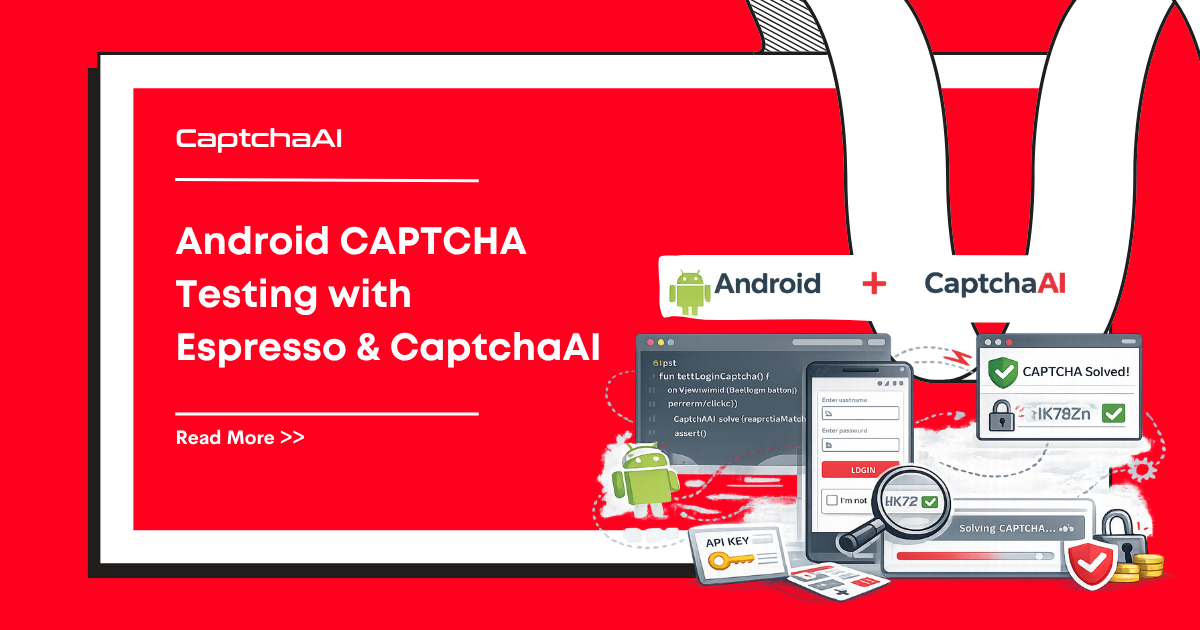
Android UI tests built with Espresso often hit CAPTCHAs inside WebViews — login pages, registration forms, or embedded payment flows that show reCAPTCHA v2. CaptchaAI provides programmatic solving so your automated test suites can run end-to-end without manual CAPTCHA interaction.
This guide shows how to detect CAPTCHAs in Android WebViews during Espresso tests, solve them through a backend service, and inject the token back into the page.
Real-World Scenario
Your Android app loads a third-party checkout page in a WebView. The page presents reCAPTCHA v2 before allowing payment. During Espresso instrumented testing, this CAPTCHA blocks the checkout verification test.
Environment: Android Studio, Kotlin, Espresso, AndroidX Test, CaptchaAI API, Python backend.
Step 1: Create a Test Helper in the App
Add a debug-only helper that can evaluate JavaScript inside the app's WebView:
// CaptchaTestHelper.kt — debug source set only
package com.example.app.testing

import android.webkit.JavascriptInterface
import android.webkit.WebView
import kotlinx.coroutines.*
import okhttp3.*
import okhttp3.MediaType.Companion.toMediaType
import okhttp3.RequestBody.Companion.toRequestBody
import org.json.JSONObject

class CaptchaTestHelper(private val webView: WebView) {

    private var detectedSitekey: String? = null
    private var detectedPageUrl: String? = null
    private var solvedToken: String? = null

    @JavascriptInterface
    fun onCaptchaDetected(sitekey: String, pageurl: String) {
        detectedSitekey = sitekey
        detectedPageUrl = pageurl
    }

    fun detectCaptcha() {
        webView.post {
            webView.evaluateJavascript("""
                (function() {
                    var el = document.querySelector('.g-recaptcha');
                    if (el) {
                        CaptchaHelper.onCaptchaDetected(
                            el.getAttribute('data-sitekey'),
                            window.location.href
                        );
                        return 'found';
                    }
                    return 'not_found';
                })();
            """, null)
        }
    }

    suspend fun solveAndInject(): Boolean = withContext(Dispatchers.IO) {
        val sitekey = detectedSitekey ?: return@withContext false
        val pageurl = detectedPageUrl ?: return@withContext false

        // Call backend solver
        val client = OkHttpClient.Builder()
            .callTimeout(java.time.Duration.ofMinutes(3))
            .build()

        val body = JSONObject().apply {
            put("captchaType", "recaptcha_v2")
            put("sitekey", sitekey)
            put("pageurl", pageurl)
        }.toString().toRequestBody("application/json".toMediaType())

        val request = Request.Builder()
            .url("http://10.0.2.2:3000/api/solve-captcha")  // Host loopback for emulator
            .post(body)
            .build()

        val response = client.newCall(request).execute()
        val json = JSONObject(response.body?.string() ?: "")
        val token = json.optString("token", "")

        if (token.isEmpty()) return@withContext false

        solvedToken = token

        // Inject token on main thread
        withContext(Dispatchers.Main) {
            webView.evaluateJavascript("""
                document.getElementById('g-recaptcha-response').value = '$token';
                try {
                    var clients = ___grecaptcha_cfg.clients;
                    Object.keys(clients).forEach(function(k) {
                        Object.keys(clients[k]).forEach(function(j) {
                            if (clients[k][j] && clients[k][j].callback) {
                                clients[k][j].callback('$token');
                            }
                        });
                    });
                } catch(e) {}
            """, null)
        }

        return@withContext true
    }

    companion object {
        fun attach(webView: WebView): CaptchaTestHelper {
            val helper = CaptchaTestHelper(webView)
            webView.addJavascriptInterface(helper, "CaptchaHelper")
            return helper
        }
    }
}
Step 2: Backend Solver Service
Run this Python solver on your development machine during test execution:
# android_test_solver.py
import os
import time
import requests
from flask import Flask, request, jsonify

app = Flask(__name__)
API_KEY = os.environ.get("CAPTCHAAI_API_KEY", "YOUR_API_KEY")

@app.route("/api/solve-captcha", methods=["POST"])
def solve():
    data = request.json

    # Submit to CaptchaAI
    resp = requests.get("https://ocr.captchaai.com/in.php", params={
        "key": API_KEY,
        "method": "userrecaptcha",
        "googlekey": data["sitekey"],
        "pageurl": data["pageurl"],
        "json": "1",
    })
    result = resp.json()
    if result.get("status") != 1:
        return jsonify({"error": result.get("request")}), 400

    task_id = result["request"]

    # Poll for result
    for _ in range(30):
        time.sleep(5)
        poll = requests.get("https://ocr.captchaai.com/res.php", params={
            "key": API_KEY, "action": "get", "id": task_id, "json": "1",
        })
        poll_result = poll.json()
        if poll_result.get("status") == 1:
            return jsonify({"token": poll_result["request"]})
        if poll_result.get("request") != "CAPCHA_NOT_READY":
            return jsonify({"error": poll_result["request"]}), 400

    return jsonify({"error": "Timeout"}), 408

if __name__ == "__main__":
    app.run(host="0.0.0.0", port=3000)
Step 3: Espresso Test with CAPTCHA Handling
// CheckoutCaptchaTest.kt
package com.example.app

import androidx.test.espresso.Espresso.onView
import androidx.test.espresso.action.ViewActions.click
import androidx.test.espresso.matcher.ViewMatchers.*
import androidx.test.espresso.web.sugar.Web.onWebView
import androidx.test.ext.junit.rules.ActivityScenarioRule
import androidx.test.ext.junit.runners.AndroidJUnit4
import kotlinx.coroutines.runBlocking
import org.junit.Rule
import org.junit.Test
import org.junit.runner.RunWith

@RunWith(AndroidJUnit4::class)
class CheckoutCaptchaTest {

    @get:Rule
    val activityRule = ActivityScenarioRule(MainActivity::class.java)

    @Test
    fun testCheckoutWithCaptcha() {
        // Navigate to checkout
        onView(withId(R.id.checkout_button)).perform(click())

        // Wait for WebView to load
        Thread.sleep(5000)

        // Access the WebView and attach helper
        activityRule.scenario.onActivity { activity ->
            val webView = activity.findViewById<android.webkit.WebView>(R.id.webview)

            val helper = CaptchaTestHelper.attach(webView)
            helper.detectCaptcha()

            // Wait for detection
            Thread.sleep(2000)

            // Solve and inject
            runBlocking {
                val solved = helper.solveAndInject()
                assert(solved) { "CAPTCHA should be solved successfully" }
            }
        }

        // Continue with form submission after token injection
        Thread.sleep(1000)

        // Verify checkout completed
        onView(withText("Order Confirmed")).check(
            androidx.test.espresso.assertion.ViewAssertions.matches(isDisplayed())
        )
    }
}
Troubleshooting
| Problem | Cause | Fix |
|---|---|---|
10.0.2.2 not reachable |
Not using Android Emulator | Use actual host IP for physical devices; 10.0.2.2 is emulator-specific |
evaluateJavascript callback is null |
WebView not fully loaded | Add WebViewClient.onPageFinished() listener before evaluating |
addJavascriptInterface not working |
JavaScript disabled | Call webView.settings.javaScriptEnabled = true |
| Network request blocked by Cleartext policy | HTTP to localhost on Android 9+ | Add android:usesCleartextTraffic="true" in AndroidManifest.xml (debug only) |
FAQ
Can Espresso interact with WebView content directly?
Espresso has onWebView() for basic WebView interactions, but it cannot evaluate arbitrary JavaScript. You need evaluateJavascript() from the WebView API for CAPTCHA handling.
Does this work on real devices for CI?
Yes. Replace 10.0.2.2 with the actual IP of the machine running the solver backend. Ensure the device can reach the backend over the network.
How do I prevent test helpers from shipping to production?
Place test helpers in the src/debug/java/ source set. Android build variants automatically exclude debug sources from release builds.
What about reCAPTCHA Enterprise in Android apps?
The approach is similar but you need the Enterprise sitekey and may need to pass additional parameters like enterprise: 1 to CaptchaAI.
Related Articles
- How To Solve Recaptcha V2 Callback Using Api
- Build Automated Testing Pipeline Captchaai
- Recaptcha V2 Turnstile Same Site Handling
Next Steps
Automate your Android CAPTCHA tests — get your CaptchaAI API key and set up the solver backend.
Related guides:
- iOS Automation CAPTCHA Handling with XCUITest
- CAPTCHA Handling in Mobile App Automation with Appium
- Extracting reCAPTCHA Parameters from Page Source
Full Working Code
Complete runnable examples for this article in Python, Node.js, PHP, Go, Java, C#, Ruby, Rust, Kotlin & Bash.
View on GitHub →

Discussions (0)
Join the conversation
Sign in to share your opinion.
Sign InNo comments yet.